




Introduction to AdsPower
AdsPower-professional anti-detect browser for traffic monetization in Google, Facebook, etc.
Key Functions:
- Accounts management
- Fingerprint settings
- Automatic operation including Local API and RPA Robot
- Members management
- Profile and function authorization
Good price:
- Free version with 2 profiles;
- Paid version from $10 with 10 profiles;
- A custom version is available
Register by https://adspower.net and start your journey on AdsPower!
Discount from AdsPower
Use adspower5 discount coupon to get 5% OFF.
Guide to set up Proxy-Store proxies in AdsPower
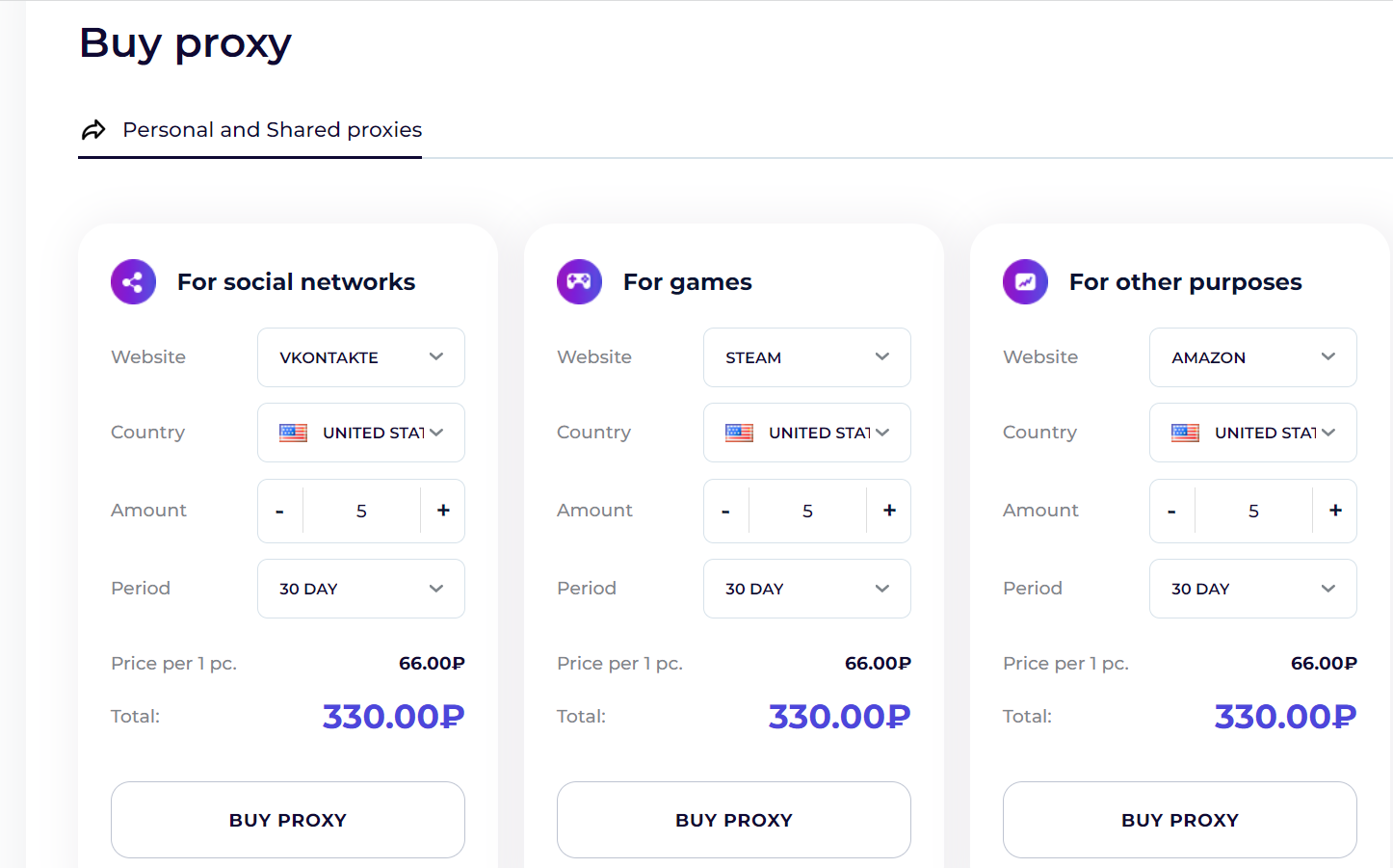
- First of all, you need to buy proxies according to your needs.
- Open AdsPower and click on "Single import".
- Then check your proxies in the Proxy-Store dashboard.
- Now click on "Open" to start working with AdsPower. If you want to change the proxy of the profile, click the green button under "Account ID"

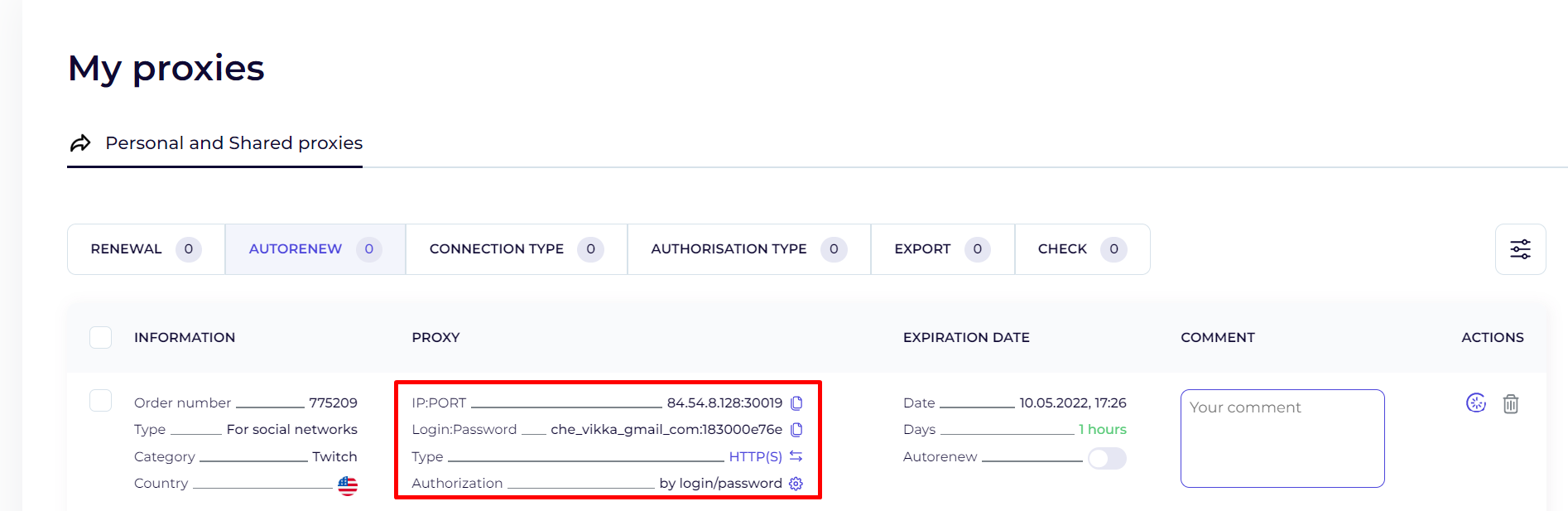
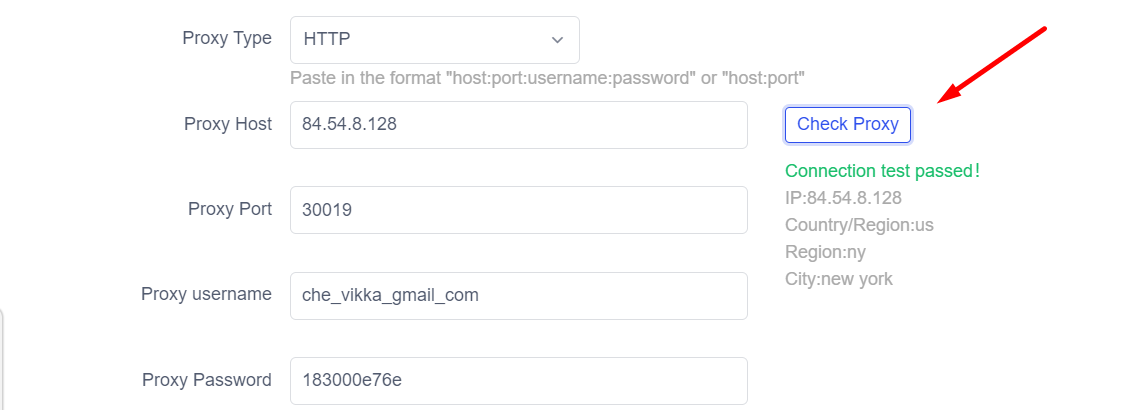
As Proxy-Store supports login-password authorization, you only need to fill the following information in AdsPower:
Proxy Type: HTTP/HTTPS (depending on proxies you purchase)
Proxy Host & Proxy Port: 84.54.9.230:30001 (simply copy the number series of “IP:PORT” and paste it directly in the field “Proxy Host”)
Proxy User: business_adspower_ne
Proxy Password: f86ede0654
Then click on "Check proxy" to check the proxy connection. If the connection test goes well, click on "OK" to finish the settings.

Have any questions? Contact us in the chat on the site (round icon at the bottom of the screen) — this is the fastest way to get help. We have switched to the 24/7 schedule, so we are in touch with you every day at any time.
Thank you for choosing the Proxy-Store!